Drawing arrows on the stage plot
Where the arrows are and how to use them.
Use arrows to point a note at a spot on the stage, to link two items or to help describe other details visually.
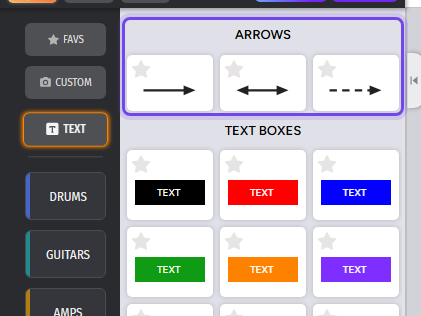
They are at the top of the Text category in the sidebar: a single arrow, a double arrow and a dashed arrow. Drag one onto the stage.
Click the arrow to select it. A dot appears at each end:
- Drag a dot to lengthen, shorten or turn the arrow. The other end stays where it is, and the head keeps its size.
- Close to horizontal, vertical or 45°, the arrow snaps into place.
- To set it freely at any angle, hold
CTRL(Cmdon a Mac) while you drag.
Above the arrow are its buttons: delete, duplicate, layer up, layer down and color.

Arrows are a Pro/Premium feature.