Organizing your riders in folders
How to create folders and move riders.
Folders keep your riders organized inside My riders: by tour, by band, by client or however you prefer.
To create a folder, open My riders, press New folder, type the name and press ✓ or Enter.
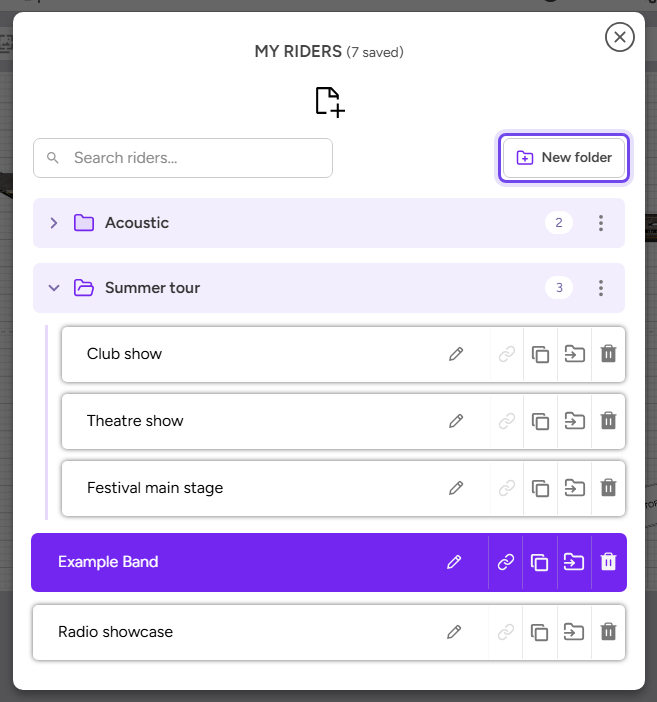
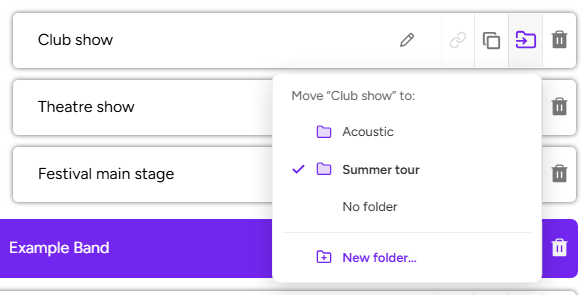
To put a rider in a folder, press its folder-with-an-arrow button and choose the folder. In that same menu you can:
- Create a new folder with that rider already inside, with New folder….
- Take the rider out of its folder, with No folder.
Other things worth knowing:
- The search box looks in every folder, and each result shows which folder it is in.
- When you duplicate a rider, the copy stays in the same folder. A new rider starts with no folder.
- Deleting a folder does not delete its riders: they just have no folder.
Folders are a Premium feature.